
|
Definition and UsageThe Note: The Browser SupportThe numbers in the table specify the first browser version that fully supports the element.
Global AttributesThe Event AttributesThe |

How to create HTML <summary> Tag
It is using the <summary> element.
index.html
Example:
HTML
 <details>
  <summary>Epcot Center</summary>
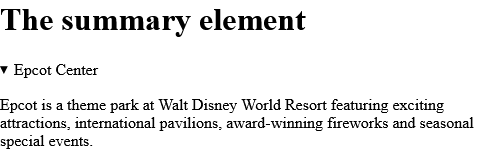
  <p>Epcot is a theme park at Walt Disney World Resort featuring exciting attractions, international pavilions, award-winning fireworks and seasonal special events.</p>
</details> Output should be:
How to use CSS to style <details> and <summary>
More Example.
index.html
Example:
HTML
<!DOCTYPE html>
<html>
<head>
<style>
details > summary {
  padding: 4px;
  width: 200px;
  background-color: #eeeeee;
  border: none;
  box-shadow: 1px 1px 2px #bbbbbb;
  cursor: pointer;
}

details > p {
  background-color: #eeeeee;
  padding: 4px;
  margin: 0;
  box-shadow: 1px 1px 2px #bbbbbb;
}
</style>
</head>
<body>

<h1>The details and summary elements + CSS</h1>

<details>
  <summary>Epcot Center</summary>
  <p>Epcot is a theme park at Walt Disney World Resort featuring exciting attractions, international pavilions, award-winning fireworks and seasonal special events.</p>
</details>

</body>
</html>Output should be:

How to set Default CSS Settings in HTML <summary> Tag
Most browsers will display the <summary> element with the following default values.
index.html
Example:
HTML
<style>
summary {
  display: block;
}
</style>Output should be:

| html summary |
Type: | Develop |
Category: | Web Tutorial |
Sub Category: | HTML Tag |
Uploaded by: | Admin |
Read Articlehttps://develop.horje.com/learn/1434/reference