
|
|
The The |
Example
There can only be one single <base> element in a document! Specify a default URL and a default target for all links on a page:
index.html
Example:
HTML
<!DOCTYPE html>
<html>
<head>
  <base href="https://www.w3schools.com/" target="_blank">
</head>
<body>

<h1>The base element</h1>

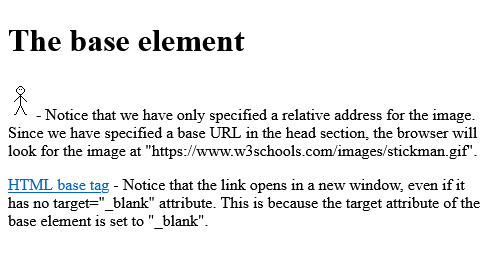
<p><img src="images/stickman.gif" width="24" height="39" alt="Stickman"> - Notice that we have only specified a relative address for the image. Since we have specified a base URL in the head section, the browser will look for the image at "https://www.w3schools.com/images/stickman.gif".</p>

<p><a href="tags/tag_base.asp">HTML base tag</a> - Notice that the link opens in a new window, even if it has no target="_blank" attribute. This is because the target attribute of the base element is set to "_blank".</p>

</body>
</html>Output should be:
Example
href = valid URL potentially surrounded by spaces A base element, if it has an href attribute, must come before any other elements in the tree that have attributes defined as taking URLs, except the html element (its manifest attribute isn't affected by base elements). [Example A] target = valid browsing context name or keyword ( _blank, _self, _parent, or _top) The value of the target attribute is used as the default when hyperlinks and forms in the Document cause navigation.
index.html
Example:
HTML
<!DOCTYPE html>
<html>
    <head>
        <title>This is an example for the <base> element</title>
        <base href="http://www.example.com/news/index.html">
    </head>
    <body>
        <p>Visit the <a href="archives.html">archives</a>.</p>
    </body>
</html>Category: | Web Tutorial |
Sub Category: | HTML - The Head Element |
Uploaded by: | Admin |
Read Articlehttps://develop.horje.com/learn/1434/reference