Full Example of The id Attribute in JavaScript
Use the id attribute to manipulate text with JavaScript:
index.html
Example:
HTML
<!DOCTYPE html>
<html>
<body>

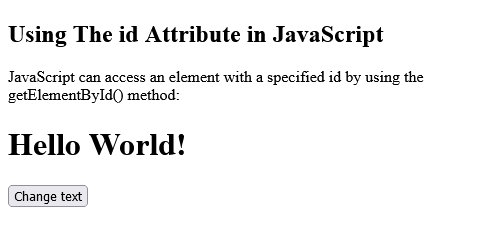
<h2>Using The id Attribute in JavaScript</h2>
<p>JavaScript can access an element with a specified id by using the getElementById() method:</p>

<h1 id="myHeader">Hello World!</h1>
<button onclick="displayResult()">Change text</button>

<script>
function displayResult() {
  document.getElementById("myHeader").innerHTML = "Have a nice day!";
}
</script>

</body>
</html>Output should be:
Type: | html |
Category: | Web Tutorial |
Sub Category: | HTML id Attribute |
Uploaded by: | Admin |