How to change/edit Site info (Website Name) on Yoast SEO Plugin
To change/edit Site info (Website Name) on Yoast SEO Plugin.
- Click on "Yoast SEO" Click on "Settings" Click on "Site Basics" from Leftside Menu Admin Dashboard.
- or go to: https://yourdomain.com/wp-admin/admin.php?page=wpseo_page_settings#/site-basics
- Now, Edit the Website Name Input and Click on "Save" Button
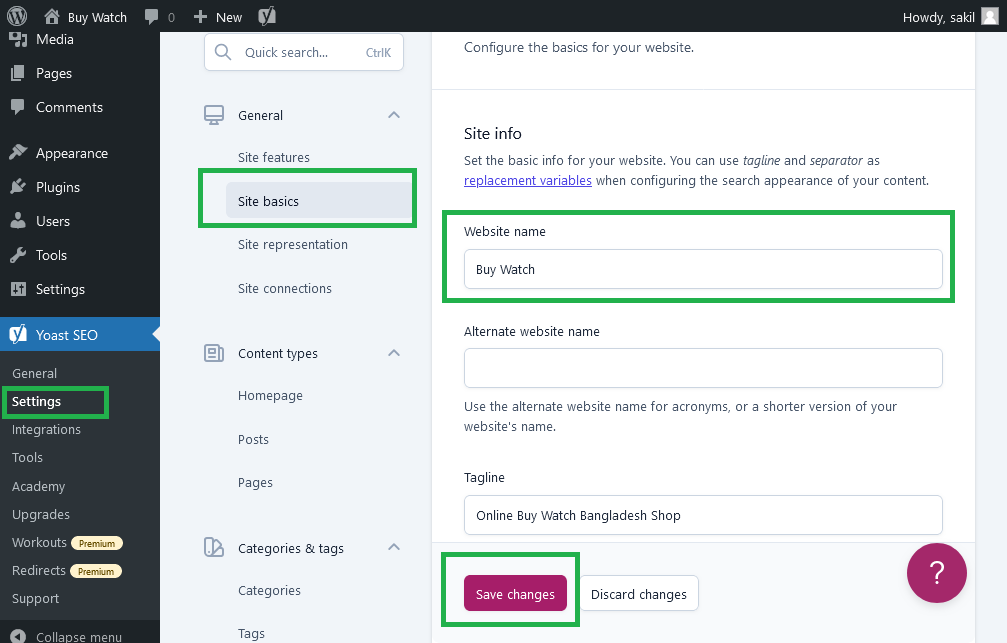
Output should be:

Type: | wordpress |
Category: | Web Tutorial |
Sub Category: | Wordpress SEO Tutorial |
Uploaded by: | Admin |